Showing posts with label howto. Show all posts

Enhanced commercial multicopter for research in autonomous navigation


https://yalneb.blogspot.com.es/2017/05/med15

I just wanted to share with you a fully autonomous drone I built some time back for my degree in electornic engineering. It was a time when there were no fully autonomous drones, as the needed hardware was still too heavy to be flown piggyback all around your backyard. Still, I managed to pack everything I needed on top of a commercial RTF-Y6 hexacopter, including an RGD-D camera and an ARM computer.

If you feel like, take a look at the corresponding paper published during the 23th Mediterranean Conference on Control and Automation, 2015. Also, don't miss the video after the break.

Delete songs from HDD while listening to them on audacious

http://yalneb.blogspot.com/2017/05/audacious-delete.html


I digitalized my old CD music collection a (very) long time ago. And the other day ,listening to it, I stumbled over some tracks I did really not like. I used to simply ignore them (unless I was willing to stand up and press the next track on my Hi-Fi), but the time has come to... delete them!

In this post I want to share a small script that can be bound to any key combination on your keyboard. When a song comes up that you don't like, simply invoke it and it will not only move the current song to the trash (you don't want to listen to it forever, right?) but also delete it from Audaciou's playlist.

How to create tasks on FreeRTOS

https://yalneb.blogspot.com/2017/05/how-to-create-tasks-on-freertos.html

FreeRTOS is a great tool for those of you who want to get the most out of their microcontrollers and do something more than blink a LED. It enables you to run several tasks concurrently (i.e. simultaneously, but no in parallel) and do things like, while one process is waiting for your I²C interface to finish (the task is blocked) let different process take advantage of the waiting time to do work.

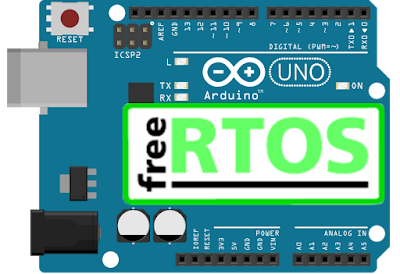
In this post we will take a look at how to create two simple FreeRTOS tasks that run concurrently on Arduino, although this is perfectly applicable to any other microcontroller you have lying around.

Run FreeRTOS on Arduino UNO (ATMega328P)

http://yalneb.blogspot.com/2017/05/run-freertos-on-arduino.html

On one hand we have FreeRTOS, an awesome tiny operating system you can run on almost any microcontroller in order to run concurrent processes. It is also great to learn how more complex operating systems, say Linux, work under the hood. And on the other hand we have Arduino, a small, low-cost and user-friendly microcontroller development board.

So, why not combine both? Let's have a look at it.

How to program Arduino with Atmel Studio

http://yalneb.blogspot.com/2017/05/how-to-program-arduino-with-atmel-studio.html

Arduino is a fun entry point for those of you who want to program microcontrollers. It comes in two parts: the Arduino development board itself, and the Arduino IDE, a very easy to use notepad-like environment where you can write your code.The Arduino board itself is nothing more than a development board for an ATmega328P microcontroller with some nice extras, while the Arduino IDE takes care of making programming a microcontroller a kid's game.

However, the IDE can sometimes get in the way of a more advanced programmer, as it ads a lot of extra code we sometimes do not want (o prefer to do our self). The remedy is to program the ATmega328P with Ateml Studio 7, just as if it were a regular microcontroller. But for that, we first need to tell it how to "talk" to the Arduino to program it.