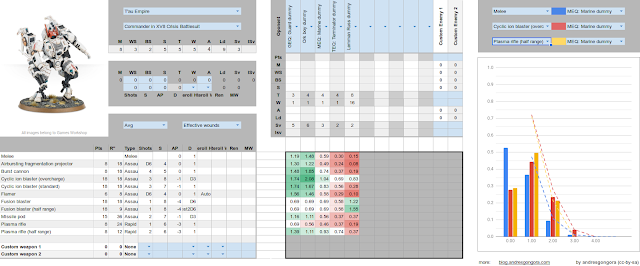
Warhammer 40000 Probabilistic Damage Calculator

WH40K probabilistic damage calculator by andresgongora

There are many damage calculators out there for WH40K, however, they all oversimplify things to get a quick but innacurate damage estimate. This estimator relies on probability mass functions to propagate the exact damage from the moment you roll the number of shots all the way to invulnerable saves. Guessing which weapon is the best or what unit you should attack with it is a thing of the past.

Follow this link to the damage calculator, or continue reading down below for instructions and further information.

Understanding even the most complex shell commands

https://yalneb.blogspot.com/2019/06/explainshell.html

The website explainshell.com has a very simple goal: enter any shell command and it will explain the string bit by bit. It is extremely useful if you are starting out with Linux and still don't know your way around the terminal, but it is still quite handy for more advance users.

Take the following shell command: echo "YALNEB.BLOGSPOT.COM" | sed 's/LO.*T/y/g;s/COM/Andres/g' | tr '.' ' '. It is quite ugly to look at, but all it does is print: YALNEB By Andres. How? Well, it's really simple! Take a look at the explanation and you will see how ingenuous this script actually is ;)

Audiophiles on Linux, rejoice

https://yalneb.blogspot.com/2019/04/pulseeffects-autoeq.html
PulseEffects screenshot taken from their official git repo

Suppose your an audiophile (at least level 2) and want to fine-tune your equalizer to improve your headphones play back on Linux. You are after that super clean and real-life-like flat response where the bass sounds realistic and the mids are super crisp. How to you go about it?

Well, there are many ways. But if you combine PulseEffects, a system wide parametric equalizer with GUI for Linux, and AutoEQ/Results, a huge database of precalibrated headphones, you will be set in less than 5 minutes.

Bash terminal greeter

https://yalneb.blogspot.com/2019/04/bash-terminal-greeter.html

Wouldn't it be nice that every time you open up a terminal (or log in remotely), you would be greeted by a general overview of your system's health? Well, with this tool you can address this very problem.

This is a simple bash script that displays on top of new terminals a simple summary of your system's specs (useful if its a remote machine you just logged in) and a summary of your systems current load. Moreover, if the load is high, the color will change to draw your attention quickly, and when possible, will display what is causing the problem. Such as a report of CPU hungry processor an error report if a systemctl service has failed to load.

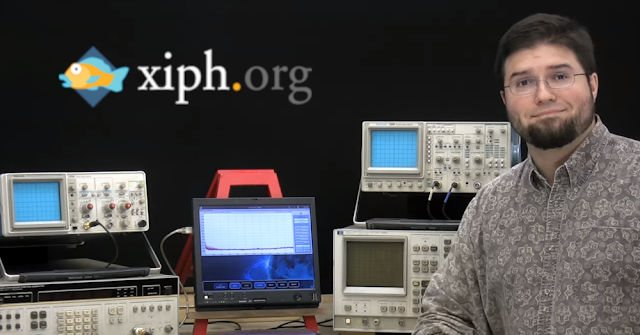
Xiph.org - Excellent videos on digital multimedia

https://yalneb.blogspot.com/2019/03/xiphorg-digital-media-primer.html
Sometimes you find absolutely outstanding videos on the internet. Such is the case of a brief video series by xiph.org on digital media. The host explains with very visual examples some concepts that are always misunderstood when comparing analog audio to digital, like that there is audible signal quality loss because of the conversion (not true). My favorite take-aways have been:
  • Why 22 bit audio has no real advantages over 16 bit (for playback).
  • A better understanding on the noise-level of digital audio and the effects of dither.

Really, if you consider yourself an audiophile of level 3 or beyond, you really should watch his videos to deepen your knowledge about the joys of high quality media playback.

A comprehensive introduciton to hypothesis testing

https://izbicki.me/blog/how-to-cheat-at-settlers-of-catan-by-loading-the-dice-and-prove-it-with-p-values.html

If you are working on a Ph.D, no matter what knowledge area, you will sooner or later encounter hypothesis testing to prove (or disprove) whether your suspicions hold true (is a system more stable, does a medicine work better, are there diferences in the carbon-dating results, etc.). A such, you will find this introduction to p-values using catan and dices extremely insightful. Its extraordinarily well (and fun) written, contains many hints, and warns you about common mistake you might be committing in your own research. I hope you enjoy it.

[DISPROVED] My thougts on gavitational waves and ETI

https://yalneb.blogspot.com/2019/01/my-thougts-on-gavitational-waves-and-eti.html

One of the greatest breakthrough of applied science in my lifetime happened relatively recently: we detected gravitational waves. In essence, we have detected a grativational "ripple" of gravity; much like you would feel your boat rock in a still pond if someone were to throw a heavy rock into it. But regardless of how amazing this is, it is also extremely sad.

Tiddlywiki - A starting point with all extras

https://yalneb.blogspot.com/2018/02/better-ls.html
My intention for this post is to be a single entry point to access an empty TiddlyWiki (in terms of contents) but preconfigured with all extras, plugins, and tweaks I may come up with. So that you might always find my latest version here, including my own tweaks as well as those by third parties I'm planning to talk in the future about.

Tiddlywiki - A scalable knoledge management tool

https://yalneb.blogspot.com/2018/02/better-ls.html
When developing new projects I often found my self in the very same situation: I have read through tons of pages of manuals, wikis and books, and would like to create my own notes on the subject. Be it for a college subject, a new electronics project, or a complex subject I'm enjoying. 

In any case, I need a way to add notes, attach files (e.g. PDFs, videos, source code, etc.) and insert images. Also, it's of upmost importance to be able to create hierarchical dependencies between my notes (i.e. subsections or similar) and be able to navigate through the data in an intuitive way that does not require tons of mouse-scrolling. And most importantly, the data must be easy to export and available offline, as I don't want to get stuck with any commercial services. 

If you are in a similar situation, then read on.

Improved ls command to list your linux files.


If you use Linux on a daily basis, then you probably run the 'ls' commands several times a day to list files. This is one of the most used commands on Linux (aside from 'cd') and still, it is sometimes a mess. With the following script, you can "wrap" the normal 'ls' command to:
  1. Highlight folders with colors, to better distinguish them from files.
  2. Sort folders before regular files
  3. Sort hidden folders and hidden files last
  4. Print information in a human-readable format

Arch Linux Update Helper

https://yalneb.blogspot.com/2018/01/arch-linux-update-helper.html

Keeping your Arch Linux system up to date is a good habit, and something you should definitively be doing. It can however become time consuming (specially if you do it on a weekly basis), reason enough to postpone it for too long.

This script will guide you intuitively through the update process, tidy after it, and also optimize your pacman package manager.

Great tutorial for the Microchip PIC24 family

 https://yalneb.blogspot.com.es/2018/01/great-tutorial-for-microchip-pic24.html

This is a quick heads-up. I found a really well-written and in-depth guide for Microchip's PIC24 microcontroller family. It covers everything, from I²C and timers, to the WDT and power-modes, shining light on the huge potential of these tiny 16-bit chips.

The original page with the original posts (Engscope) has gone. Luckily, you can still read the whole the archived version of the full guides. So, have fun, and don't hesitate to share your favorite guides in the comments.

Fancy bash prompt with colors

Read full article: Fancy bash prompt

I got bored of the normal bash promt a long time ago, which lead me to configure my .bashrc to betther highlight terminal inputs. Still, I used to see some terminal on the net with a very fancy looking bash promt that I found really appealing. After some googling I decided to give it a go and try to generate my own. All it takes is a fancy triangle character to create the colored overlaps, shown in the above figure, and some tweaking. All in all, the end result speaks for itself.

Check out my implementation after the break, and leave a comment if you like it or want to make some suggestions to further improve it!

Update: a new and easy to install version can be found here.

Report from the European Conference on Mobile Robotics 2017


https://yalneb.blogspot.com.es/2017/09/2017-ECMR.html

[Manuel Lopez-Antequera] and I just returned from the 8th edition of ECMR held in Paris. It was a great experience with most contributed works centered on solution for UAVs. In this regard, my personal favorite key-session was that of [Scaramuzza]. It was not only very inspiring, but also introduced us to event based cameras, which have a extremely high refresh rate when compared with standard cameras.

All in all, it was a very great experience. The organization was excellent and we were very well received. Also, I liked that the conference was single track, meaning that we didn't miss a single contribution. As for [Manuel] and me, we presented the following works respectively:

Enhanced commercial multicopter for research in autonomous navigation


https://yalneb.blogspot.com.es/2017/05/med15

I just wanted to share with you a fully autonomous drone I built some time back for my degree in electornic engineering. It was a time when there were no fully autonomous drones, as the needed hardware was still too heavy to be flown piggyback all around your backyard. Still, I managed to pack everything I needed on top of a commercial RTF-Y6 hexacopter, including an RGD-D camera and an ARM computer.

If you feel like, take a look at the corresponding paper published during the 23th Mediterranean Conference on Control and Automation, 2015. Also, don't miss the video after the break.

Delete songs from HDD while listening to them on audacious

http://yalneb.blogspot.com/2017/05/audacious-delete.html


I digitalized my old CD music collection a (very) long time ago. And the other day ,listening to it, I stumbled over some tracks I did really not like. I used to simply ignore them (unless I was willing to stand up and press the next track on my Hi-Fi), but the time has come to... delete them!

In this post I want to share a small script that can be bound to any key combination on your keyboard. When a song comes up that you don't like, simply invoke it and it will not only move the current song to the trash (you don't want to listen to it forever, right?) but also delete it from Audaciou's playlist.

TMUX: useful key-bindings

http://yalneb.blogspot.com/2017/05/tmux-useful-key-bindings.html

Continuing my TMUX series, this post will show you some useful keybindings which will make you much more productive, not only when working with TMUX, but also while configuring it to your liking.

How to create tasks on FreeRTOS

https://yalneb.blogspot.com/2017/05/how-to-create-tasks-on-freertos.html

FreeRTOS is a great tool for those of you who want to get the most out of their microcontrollers and do something more than blink a LED. It enables you to run several tasks concurrently (i.e. simultaneously, but no in parallel) and do things like, while one process is waiting for your I²C interface to finish (the task is blocked) let different process take advantage of the waiting time to do work.

In this post we will take a look at how to create two simple FreeRTOS tasks that run concurrently on Arduino, although this is perfectly applicable to any other microcontroller you have lying around.

Run FreeRTOS on Arduino UNO (ATMega328P)

http://yalneb.blogspot.com/2017/05/run-freertos-on-arduino.html

On one hand we have FreeRTOS, an awesome tiny operating system you can run on almost any microcontroller in order to run concurrent processes. It is also great to learn how more complex operating systems, say Linux, work under the hood. And on the other hand we have Arduino, a small, low-cost and user-friendly microcontroller development board.

So, why not combine both? Let's have a look at it.

Supercapacitors VS Batteries

http://yalneb.blogspot.com/2017/05/supercapacitor-vs-battery.html
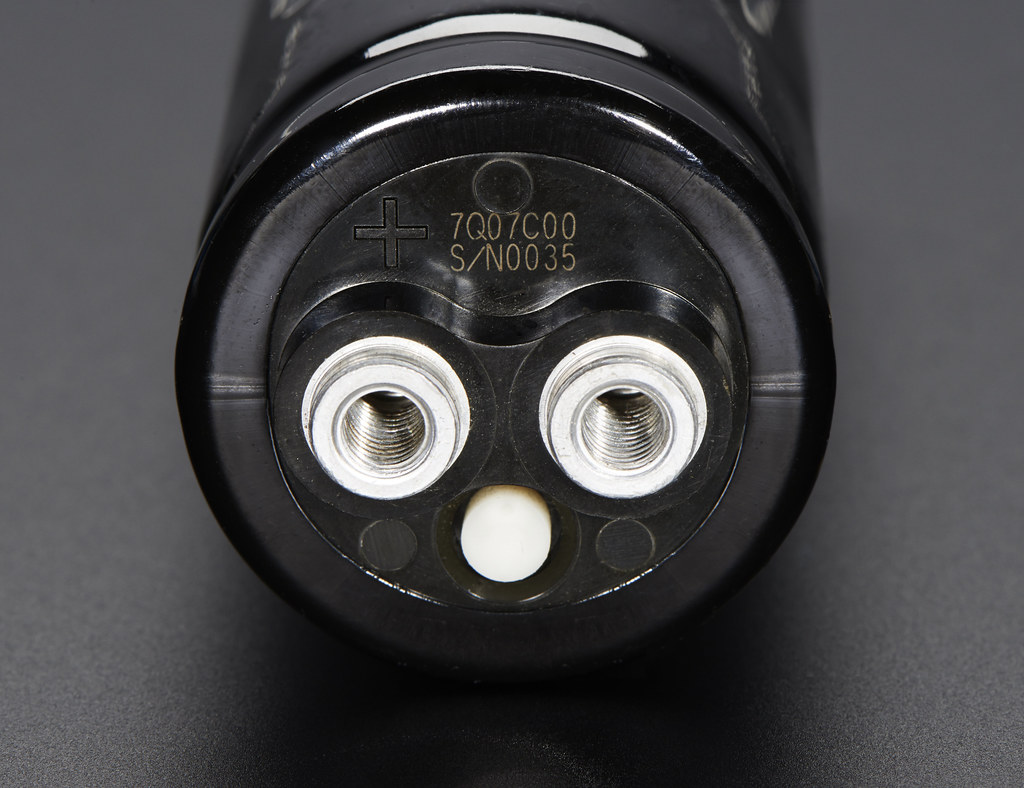
image by Adafruit

By now you have probably hear about supercapacitors and: an alternative to batteries, with ultra short charge times and high output-power peaks.Be assured that this is true, and that you can already buy supercapacitors for a relatively low price. 

However, supercapacitors are usually misunderstood, as they do not substitute batteries but offer a functionality for which most applications used to resort to them: short term (i.e. less than 1 minute) power  storage. Also, do not confuse supercapacitors with graphene-based ultracapacitors, which do in fact have the potential to make chemical batteries obsolete.

In this post I will cover the main differences between supercapacitors and batteries (e.g. lead-acid and LiPo/LiIon batteries), and show you a quick equivalence formula to compute how big a supercapacitor must be to replace a given battery.